Efterlev Studio
Efterlev Studio is a local, browser-based view of your FedRAMP 20x posture.
It runs on 127.0.0.1, opens in your browser, and shows evidence streaming
from your sources into the 60 Key Security Indicators while the Gap Agent
classifies each one. Local-first — nothing leaves your machine.
Quick start
pipx install efterlev
efterlev studio            # opens a local browser app on a clearly-labeled sample — no key, no setup
efterlev studio (or just bare efterlev in a terminal) is the fastest way to
see what Efterlev does before pointing it at your own code.
Modes
- See it instantly —
efterlev studioin any directory renders a clearly-labeled sample so you can explore the full experience with no setup. - Bundled sample —
efterlev studio --sampleruns against a built-in govnotes workspace, a realistic mixed-posture FedRAMP 20x service. Instant and keyless. - Watch it run live —
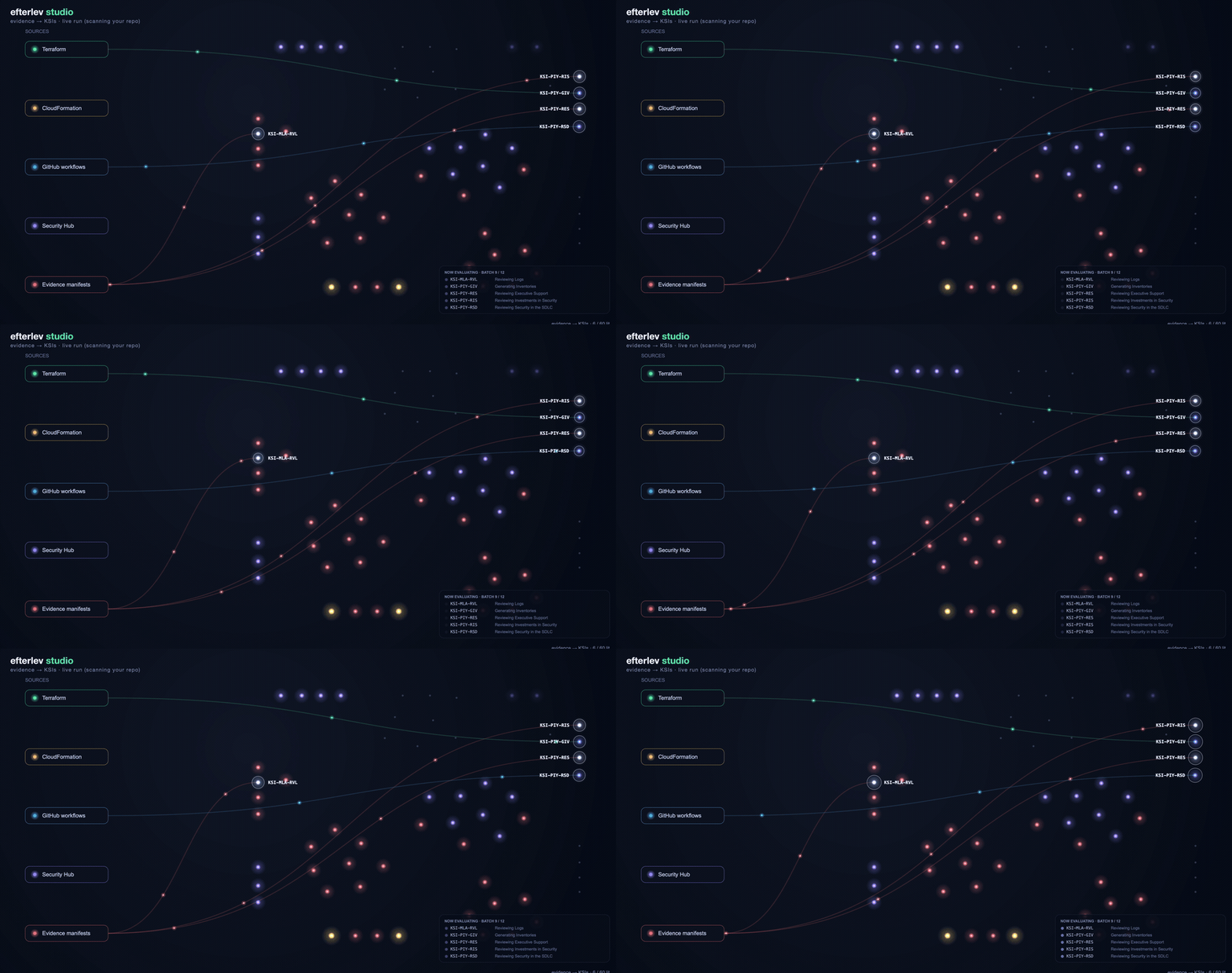
efterlev studio --liveruns a real scan + gap classification and streams it into the flow: evidence rushes in from your Terraform, CloudFormation, GitHub workflows, and Evidence Manifests, then each KSI blooms to its verdict as the agent classifies it. The flow lines track the batch the agent is evaluating right now. (Verdicts need an LLM backend; the evidence flow itself is keyless.) Combine with--sample(efterlev studio --live --sample) to run live against the bundled workspace. - Your repo — run
efterlev init && efterlev scan, thenefterlev studioto see your real posture (lit = evidenced). For full implemented / partial / gap verdicts, runefterlev report runfirst (needs an LLM key or Claude subscription), thenefterlev studio.
Sharing & headless use
- Export an image —
efterlev studio --poster posture.svgwrites a frame-worthy SVG of your compliance map for a deck or a 3PAO.--posterwrites the image without starting a server. - No browser —
efterlev studio --no-openprints the localhost URL instead of opening a browser;--port <n>pins the port.
Command center
Once a run completes, Studio settles into a live dashboard: a readiness ring, the gap-agent feed, a hover-for-detail grid grouped by the framework themes, and a Reports panel linking every artifact the run produced (gap HTML report, POA&M, OSCAL POA&M + Component-Definition, 3PAO inspector, inventory, VDR, submission package). Click a KSI tile to jump straight to that KSI's section of the gap HTML report.
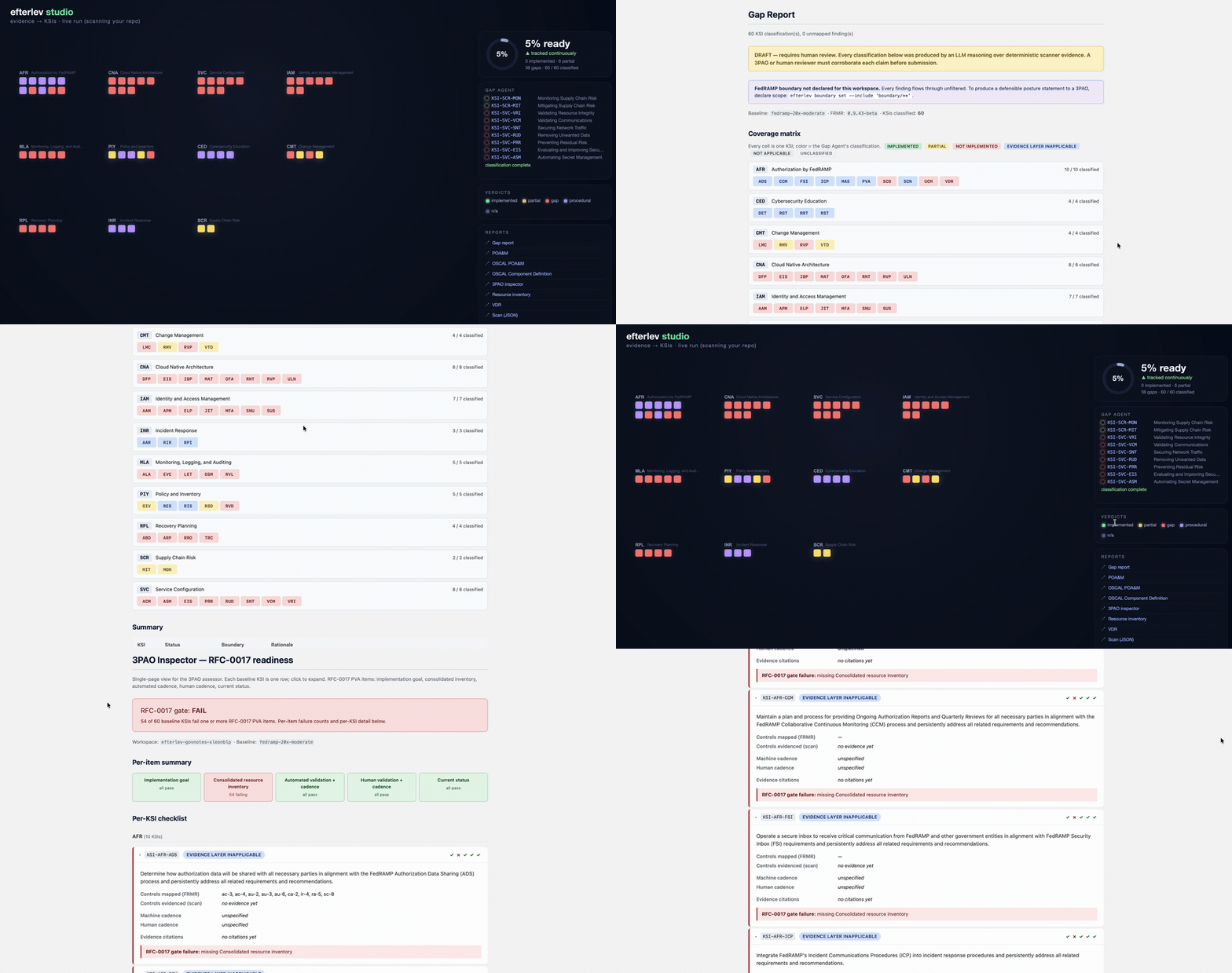
Every deliverable the run produces is one click away — the Gap Report (coverage matrix + per-KSI rationale) and the 3PAO inspector (the RFC-0017 per-KSI checklist) open straight from the command center.